Azure MCP Server for Python: Build and Ship Agentic Apps with azd + Deployment Slots
A practical guide to building framework-agnostic Python agents on Azure MCP and shipping safely with azd deployment slots.


Azure MCP Server for Python: Build and Ship Agentic Apps with azd + Deployment Slots
This guide is for teams that already have a Python agent prototype and now need safe, repeatable releases on Azure.
Scope:
- Python agent service with an MCP integration layer
- Infrastructure + app deployment with Azure Developer CLI (
azd) - Blue/green-style release safety using App Service deployment slots
- Practical commands you can use as a baseline
TL;DR
If you only optimize for local demo speed, production will fail on rollback, drift, and observability. A safer baseline is:
1. Model the app + infra in azd environments (dev, staging, prod)
2. Deploy code to a non-production slot first
3. Run smoke tests against slot URL
4. Swap slot into production only after gates pass
5. Keep rollback as a normal operation (swap back)
1) Why agent demos break in production
Typical failure modes:
- No promotion model: dev and prod differ in hidden ways
- No safe release path: direct-to-prod deploys turn bugs into incidents
- Config drift: prompts, tool schemas, and env vars diverge
- Weak telemetry: no correlation IDs, no per-tool timing/cost visibility
- Unbounded execution: retries/fan-out grow latency and spend
Production goals:
- Reproducible infra and app deployment
- Environment isolation with explicit config
- Slot validation before customer traffic
- Fast rollback with minimal operator stress
2) Reference architecture (practical)
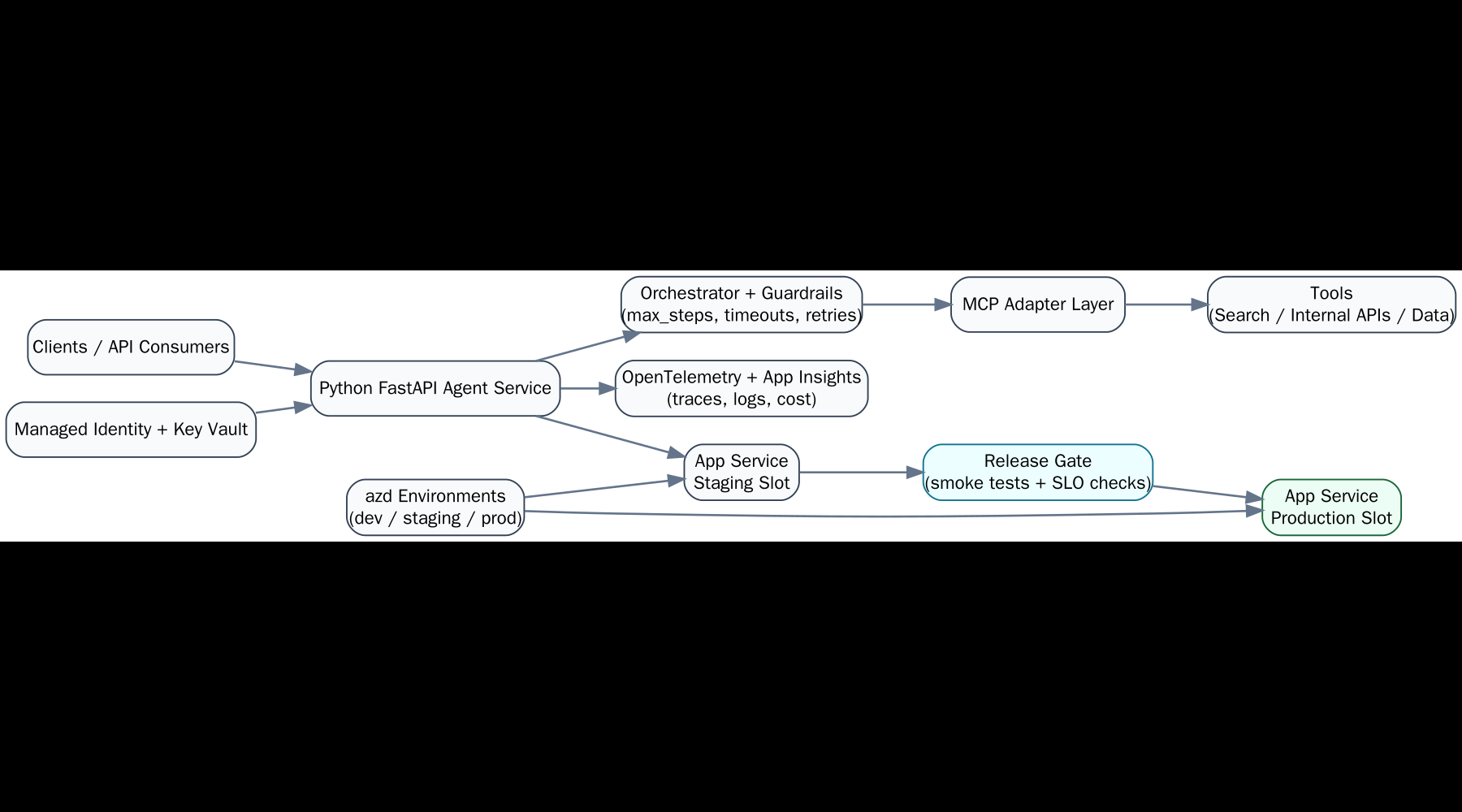
1. Python API runtime
- FastAPI service exposing
/healthz,/readyz, and agent endpoints
2. MCP adapter layer
- Strict tool contracts, request validation, timeout and retry policy
3. Azure hosting
- App Service (with deployment slots), App Service plan, Log Analytics / App Insights
4. Release control
azdfor infra/app deployment;azfor slot operations (create/swap)
5. Operational gates
- Smoke tests, latency/error budgets, token/cost guardrails
3) Local Python + MCP baseline
3.1 Bootstrap
python -m venv .venv
source .venv/bin/activate
pip install -U pip
pip install fastapi uvicorn pydantic python-dotenv httpx
pip freeze > requirements.txt
3.2 Minimal layout
agent-app/
  src/
    app.py
    agent.py
    mcp_client.py
  tests/
    test_health.py
  scripts/
    smoke.sh
  infra/
  azure.yaml
  .env.example
  requirements.txt
3.3 Agent skeleton with bounded execution
Framework flexibility (3.3): this pattern is framework-agnostic. You can implement the same bounded agent flow with OpenAI Agents SDK, LangGraph/LangChain, Semantic Kernel, AutoGen, or CrewAI—the key is keeping tool routing, timeouts, and guardrails explicit.
# src/agent.py
from dataclasses import dataclass
from time import perf_counter

@dataclass
class AgentConfig:
    model: str
    max_steps: int = 8
    tool_timeout_s: float = 8.0

class Agent:
    def __init__(self, cfg: AgentConfig, tool_router):
        self.cfg = cfg
        self.tool_router = tool_router

    async def run(self, user_input: str) -> dict:
        started = perf_counter()
        steps = []
        # plan -> MCP tool calls -> synthesize (implementation-specific)
        # enforce max_steps + per-tool timeout in the router
        answer = "TODO"
        elapsed_ms = round((perf_counter() - started) * 1000)
        return {"answer": answer, "steps": steps, "elapsed_ms": elapsed_ms}
3.4 Health endpoints (required for slot gating)
# src/app.py
from fastapi import FastAPI

app = FastAPI()

@app.get("/healthz")
def healthz():
    return {"status": "ok"}

@app.get("/readyz")
def readyz():
    # optionally verify downstream MCP/tool dependencies
    return {"status": "ready"}
4) azd environments: provision once, promote safely
azd is excellent for environment-aware provisioning/deploy. Slot lifecycle and swap are handled by Azure CLI (az).
4.0 azure.yaml baseline (make runtime explicit)
# azure.yaml
name: agent-app
services:
  api:
    project: .
    language: py
    host: appservice
Without host: appservice, teams often discover too late that their template targets a different runtime than their slot runbook assumes.
4.1 Initialize and provision
azd init
azd env new dev
azd up
For staged rollout workflows, split infra and code deploy:
azd provision
azd deploy
4.2 Manage multiple environments
azd env new staging
azd env new prod
azd env list
azd env select staging
Set non-secret config per environment:
azd env set APP_ENV staging
azd env set LOG_LEVEL info
Read all resolved env values:
azd env get-values
4.3 Secrets guidance
- Keep secrets out of source control and
.env.example - Prefer managed identity + Key Vault references for runtime secret access
- If temporary env vars are needed for local testing, keep them in local
.envonly
5) Deployment slots: concrete release runbook
Assumptions:
- Target is Azure App Service
- Production app already exists
- You have a
stagingslot
Critical rule before any swap:
- Mark slot-specific app settings as deployment slot settings (sticky), especially secrets/endpoints that differ between staging and production.
- Validate effective settings per slot before promotion (
az webapp config appsettings list ... --slot ...).
5.1 Create slot (one-time)
az webapp deployment slot create \
  --resource-group <rg> \
  --name <app-name> \
  --slot staging
5.2 Deploy to staging slot
If your pipeline packages/deploys through azd, deploy app changes first, then direct slot deployment step as needed by your packaging strategy.
Example ZIP deploy to slot:
az webapp deploy \
  --resource-group <rg> \
  --name <app-name> \
  --slot staging \
  --src-path <artifact.zip> \
  --type zip
5.3 Smoke test staging slot
Get slot hostname:
az webapp show \
  --resource-group <rg> \
  --name <app-name> \
  --slot staging \
  --query defaultHostName -o tsv
Run checks:
curl -fsS "https://<staging-host>/healthz"
curl -fsS "https://<staging-host>/readyz"
Optional agent-path smoke call:
curl -fsS -X POST "https://<staging-host>/v1/agent/run" \
  -H "content-type: application/json" \
  -d '{"input":"ping"}'
5.4 Swap staging -> production

az webapp deployment slot swap \
  --resource-group <rg> \
  --name <app-name> \
  --slot staging \
  --target-slot production
5.5 Rollback (swap back)
az webapp deployment slot swap \
  --resource-group <rg> \
  --name <app-name> \
  --slot staging \
  --target-slot production
Operationally, document who can trigger swap and what signals mandate rollback.
6) JMESPath patterns that save time
Use --query aggressively for script-safe outputs.
Get FQDN as plain text:
az webapp show -g <rg> -n <app-name> --query defaultHostName -o tsv
List slot names:
az webapp deployment slot list -g <rg> -n <app-name> --query "[].name" -o tsv
Filter deployment states (example shape may vary by command output):
az webapp deployment list-publishing-profiles -g <rg> -n <app-name> \
  --query "[?publishMethod=='MSDeploy'].publishUrl" -o tsv
Tip: keep JMESPath expressions in scripts to avoid brittle grep | awk chains.
7) Copy-paste smoke gate script
#!/usr/bin/env bash
set -euo pipefail

RG="${RG:?set RG}"
APP="${APP:?set APP}"
SLOT="${SLOT:-staging}"

HOST=$(az webapp show -g "$RG" -n "$APP" --slot "$SLOT" --query defaultHostName -o tsv)
BASE="https://${HOST}"

echo "Smoke testing ${BASE}"
curl -fsS "${BASE}/healthz" >/dev/null
curl -fsS "${BASE}/readyz"  >/dev/null

# Optional business-path probe:
# curl -fsS -X POST "${BASE}/v1/agent/run" -H 'content-type: application/json' -d '{"input":"ping"}' >/dev/null

echo "Smoke checks passed for ${SLOT}"
Use this script as a required gate before slot swap.
8) Week-1 production metrics to track
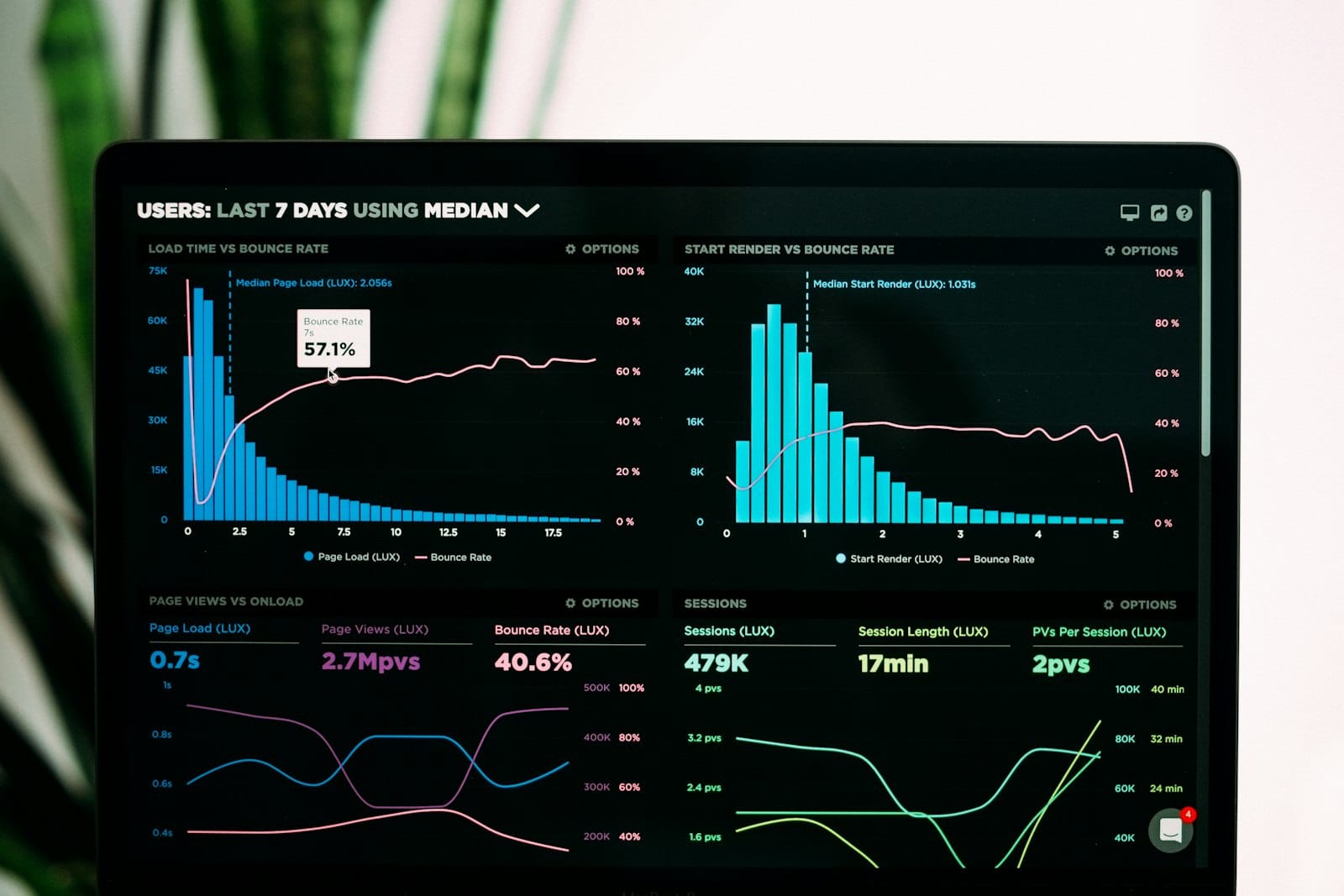
Start with a minimal but useful set:
- Availability: success rate for
/readyzand primary agent endpoint - Latency: p50/p95/p99 end-to-end, plus per-tool MCP call time
- Reliability: error rate by error class (validation, timeout, upstream)
- Cost: tokens per request, tool-call count, daily cost trend
- Safety: blocked tool calls, timeout-triggered aborts, max-step terminations
Require dashboards before broad traffic ramp.
9) Common failure modes and concrete fixes
- Tool schema drift
Fix: version tool contracts and fail fast on schema mismatch
- Slot config mismatch
Fix: explicitly mark slot-specific settings and audit before swap
- Shallow smoke tests
Fix: include at least one real agent path with downstream tool dependency
- Retry storms / fan-out spikes
Fix: cap parallelism, retry budgets, and total step count
- Unusable logs
Fix: structured JSON logs + correlation/request IDs in every layer
10) Practical release checklist (operator view)
Pre-deploy:
- Infra drift checked (
azd provisionclean) - App artifact built once, immutable for release
- Environment variables reviewed for target environment
Pre-swap:
- Slot deploy successful
healthz+readyzgreen- Agent smoke scenario passed
- Error/latency budgets within threshold
Post-swap:
- 15–30 minute monitoring window
- Rollback criteria confirmed and ready