Durable AI Agent Workflows in .NET: From Demo Agent to Production-Ready Automation
A practical guide to designing durable AI agent workflows in .NET and Azure, with orchestration, checkpointing, human approvals, tool governance, and observability.

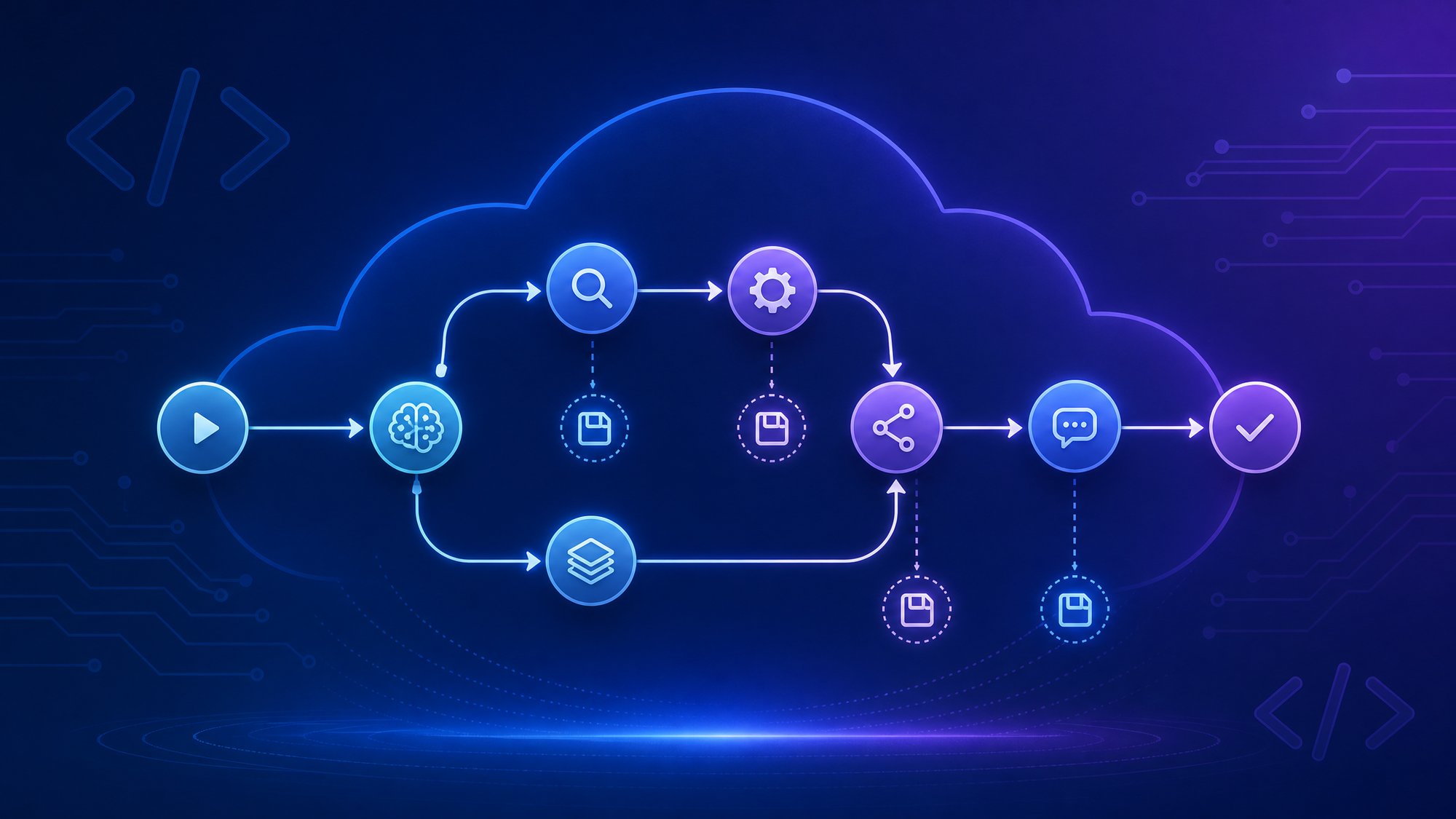
AI agents are easy to demo.
Give a model a prompt, wire up a tool or two, let it call an API, and suddenly you have something that looks useful in a conference talk or a local console app.
Production is less forgiving.
Real agent workflows need to survive restarts. They need to run for longer than a single HTTP request. They need logs, retries, checkpoints, approval steps, and a way to understand what happened when the model took the wrong turn. If the agent is doing useful work — cancelling an order, updating a ticket, preparing a report, opening a pull request — then “just run it in memory” stops being enough very quickly.
That is why the recent direction around Microsoft Agent Framework, Durable Task, Azure Functions, and Microsoft Foundry Agent Service is interesting. The important shift is not “agents can call tools”. We already had that. The shift is that agent workflows are starting to look like normal distributed systems.
And that is a good thing.
The problem with demo agents
Most first agent implementations start with a loop:
- Send the user request to the model.
- Let the model decide whether to call a tool.
- Execute the tool.
- Send the result back to the model.
- Repeat until there is a final answer.
That works fine while the agent is small and the process stays alive.
But what happens when:
- the workflow takes 20 minutes;
- a deployment restarts the process halfway through;
- three tool calls can run in parallel;
- a human approval is required before the next step;
- the model output needs to be audited later;
- one step fails and should be retried without repeating the whole workflow;
- the customer asks why the agent made a decision?
If the whole thing lives inside one process and one conversation history, you have a fragile automation script, not a production workflow.
The model is only one part of the system. The orchestration around it matters just as much.
Think in workflows, not chat loops
A more production-friendly design is to model the agent process as a workflow.
Instead of one big “agent does everything” loop, break the work into typed steps:
- collect input;
- retrieve context;
- classify intent;
- call a domain tool;
- ask for approval;
- run several specialist agents in parallel;
- merge results;
- persist the final output.
In Microsoft Agent Framework terms, this is the direction of the workflow programming model: define units of work, connect them as a graph, and let the runtime handle execution, data flow, and error propagation.
That sounds less magical than “autonomous agent”. Good. Production systems should be less magical.
A simplified order-cancellation workflow might look like this:
Receive request
      |
      v
Look up order
      |
      v
Check cancellation policy
      |
      +--> Needs approval? --> Human approval
      |
      v
Cancel order
      |
      v
Send confirmation
Some of those steps may use an LLM. Some should absolutely not. The order lookup is probably a normal API call. The policy check might be deterministic code. The customer-facing explanation might use a model, but only after the business decision has already been made.
That separation is important.
The best agent architectures do not replace software engineering with prompting. They use models where models are useful, and keep deterministic logic where determinism matters.
Where durability enters the picture
An in-memory workflow runner is great for local development. It gives you a fast feedback loop and avoids infrastructure before you need it.
But once the workflow matters, you need durable execution.
Durable execution means the workflow state is saved as it progresses. If the process crashes, the machine restarts, or the app gets redeployed, the workflow can continue from a checkpoint instead of starting from scratch.
For agent systems, this matters because agent workflows often contain expensive or irreversible steps:
- reading and summarising large documents;
- creating records in external systems;
- sending messages;
- waiting for approvals;
- running long background analysis;
- coordinating multiple agents or tools.
You do not want to repeat those steps accidentally because a container restarted.
With a durable runtime, each meaningful transition can be checkpointed. The workflow history becomes a source of truth. You can see which step ran, what it produced, what failed, and where the system resumed.
That changes the operational model from “hope the agent finishes” to “manage a workflow instance”.
A practical .NET shape
A production-ready .NET agent workflow usually needs four layers.
1. The domain workflow
This is the graph of work: the business process you are automating.
Keep this as explicit as possible. Name the steps after business actions, not AI implementation details.
Prefer:
ValidateRefundEligibility
GenerateCustomerExplanation
CreateRefundCase
NotifyCustomer
Over:
Prompt1
AgentStep2
ToolCall3
FinalLLM
The workflow should be readable by someone who understands the business, not only by the person who wrote the prompts.
2. The AI boundary
This is where the model is allowed to help.
Good uses:
- summarising messy input;
- extracting structured fields from text;
- drafting a response;
- choosing between well-defined tools;
- comparing documents;
- generating an explanation from known facts.
Risky uses:
- deciding whether money should move without deterministic checks;
- inventing policy;
- calling broad tools without constraints;
- silently retrying destructive actions;
- mixing untrusted tool output directly into high-privilege prompts.
The AI boundary should be obvious in code. When a step calls a model, log it, trace it, and make the inputs and outputs inspectable.
3. Durable orchestration
This is the runtime layer that makes the workflow survive reality.
In the Microsoft ecosystem, Durable Task and Azure Functions are a natural fit here. The durable runtime can persist state, checkpoint progress, coordinate long-running work, and support serverless hosting.
The important design principle: the workflow definition should not depend on a single process staying alive.
If a workflow is halfway through “generate report, wait for approval, then update CRM”, a restart should be boring.
4. Observability and governance
Agents need observability for the same reason microservices do: when something goes wrong, “the model did it” is not a useful incident report.
At minimum, capture:
- workflow instance ID;
- step start and completion events;
- model used;
- tool calls requested;
- tool calls approved or denied;
- retries;
- human approvals;
- final outcome;
- correlation IDs for external systems.
If your agent uses MCP tools, add governance at the tool boundary. Tool definitions and tool outputs are part of the model context, which means they are also part of your attack surface. Scan tool definitions, restrict tool access, sanitize outputs, and audit calls.
This is where the recent work around MCP governance and GitHub MCP secret scanning is relevant. The ecosystem is moving toward agents that can act inside real developer and business environments. That makes policy enforcement a core part of the architecture, not a later security review checkbox.
Parallel agents: useful, but not free
One of the more compelling workflow patterns is fan-out/fan-in:
          +--> Pricing agent ----+
Request --+--> Policy agent -----+--> Merge decision
          +--> Customer agent ---+
This can work well when different agents evaluate the same case from different perspectives.
For example:
- one agent checks policy;
- one agent reviews customer history;
- one agent drafts the communication;
- one deterministic step merges the results and applies business rules.
The trap is letting “multiple agents” become a substitute for clear ownership.
Parallel agents should have narrow roles, narrow tools, and narrow outputs. If every agent can do everything, you have not built a team. You have built a race condition with prompts.
A good pattern is to make each agent produce structured output:
{
  "recommendation": "approve",
  "confidence": 0.82,
  "reasons": [
    "Order is within cancellation window",
    "No fulfilment event has been recorded"
  ],
  "risks": [
    "Customer has one previous refund this month"
  ]
}
Then merge those outputs in normal code.
This gives you something you can test. It also gives you something you can explain later.
Human-in-the-loop is a workflow feature
Human approval should not be an afterthought bolted onto the chat UI.
If a workflow needs approval, model it as a workflow step.
That gives you a clean place to define:
- who can approve;
- what information they see;
- what timeout applies;
- what happens on rejection;
- whether the workflow can continue automatically;
- how the decision is logged.
This is especially important for agentic systems because the model may be preparing the recommendation, but the human may still own the decision.
For example:
Agent prepares refund recommendation
      |
      v
Human reviews facts, recommendation, and risks
      |
      +--> Approve --> Execute refund
      |
      +--> Reject  --> Notify support queue
That approval event should be durable too. If the system restarts while waiting, the approval should not disappear.
What belongs in Azure Functions?
Azure Functions can be a good hosting model for agent workflows when the workload is event-driven and does not require a permanently running service.
Good candidates:
- process a support ticket when it arrives;
- summarise uploaded documents;
- run a background research workflow;
- respond to a queue message;
- coordinate approval-based automation;
- trigger an agent workflow from a webhook.
Less ideal candidates:
- ultra-low-latency interactive chat;
- workflows that require custom long-lived local state;
- tasks that need specialised hardware or tightly controlled runtime environments;
- agents that execute untrusted code without a proper sandbox.
For many enterprise scenarios, though, Functions plus Durable Task is a strong combination: event-driven entry points, durable orchestration, and managed scaling.
How this relates to Microsoft Foundry Agent Service
Microsoft Foundry Agent Service is moving in a complementary direction: managed runtime, tools, identity, observability, publishing, and different agent types for different levels of control.
The choice is not simply “framework or managed service”. It is more useful to ask where you want control.
Use a managed prompt agent when:
- the process is simple;
- built-in tools are enough;
- speed of setup matters most;
- the team does not need custom orchestration.
Use workflow agents or code-first hosted agents when:
- the process has multiple steps;
- approvals and branching matter;
- you need custom tools;
- you want stronger control over runtime behaviour;
- the agent is part of a larger application architecture.
Use your own durable workflow layer when:
- the workflow is core business logic;
- you need deep integration with existing systems;
- you already run .NET services and Azure infrastructure;
- you want to test, version, and deploy the orchestration like normal software.
These options will likely blur over time. The important thing is to avoid treating the agent as a black box when the workflow is business-critical.
A minimal implementation path
If I were building this for a real team, I would not start with the most advanced runtime. I would move in stages.
Step 1: Build the workflow in-process
Start with a console app or worker service. Define the workflow steps and get the contracts right.
public sealed record RefundRequest(string OrderId, string Reason);
public sealed record RefundDecision(bool Approved, string[] Reasons, string[] Risks);

public interface IWorkflowStep<TInput, TOutput>
{
    Task<TOutput> RunAsync(TInput input, CancellationToken cancellationToken);
}
At this stage, the goal is not scale. The goal is clarity.
Can you explain each step? Can you unit test it? Can you run the workflow locally without needing five cloud services?
Step 2: Make side effects idempotent
Before adding durability, fix the dangerous part: repeated execution.
Any step that changes the outside world should have an idempotency key.
var idempotencyKey = $"refund:{request.OrderId}:{workflowInstanceId}";
await refundClient.CreateRefundAsync(request.OrderId, idempotencyKey, cancellationToken);
Durable execution helps you resume work. It does not magically make unsafe side effects safe.
Step 3: Add durable orchestration
Once the workflow shape is stable, move orchestration into a durable runtime. Persist progress after important boundaries: after retrieval, after approval, after tool execution, after final output.
This is where Durable Task or Azure Functions durable orchestration starts to earn its place. You want workflow instances you can inspect, not background tasks you hope are still running.
Step 4: Add the agent last
Only after the process is clear should you decide which steps need a model.
That might be one step:
SummariseCustomerReasonOr several narrow steps:
ExtractFieldsFromEmail
AssessTone
DraftCustomerReply
Keep each model step small. Give it a clear input contract and a clear output contract. If the model returns JSON, validate it like any other external input.
Step 5: Put governance at the tool boundary
If the agent can call tools, every tool call should pass through a policy decision before it executes.
That decision can be simple at first:
Can this workflow step call this tool with these arguments for this user?Over time, you can add richer controls: risk scoring, prompt-injection detection, response sanitisation, approval thresholds, and OpenTelemetry events.
A production checklist for durable agents
Before calling an agent workflow production-ready, I would want clear answers to these questions.
Workflow design
- Is the workflow explicitly modelled as steps?
- Are deterministic decisions separated from model-generated content?
- Can the workflow resume after a restart?
- Are long-running steps checkpointed?
- Are retries safe and idempotent?
Tool safety
- Are tool permissions scoped per agent or per step?
- Are destructive tools gated by policy or approval?
- Is untrusted tool output sanitized before it returns to the model?
- Are MCP tool definitions reviewed or scanned?
- Can secrets leak into model context or logs?
Observability
- Can you trace one workflow instance end to end?
- Can you see every model call and tool call?
- Are approvals logged?
- Are failures visible without digging through raw logs?
- Do you have enough information to explain a decision?
Operations
- What happens during deployment?
- What happens if a tool is down?
- Can stuck workflows be inspected and resumed?
- Can a workflow version change while old instances are still running?
- Is there a rollback story?
Evaluation
- Do you have test cases for typical and edge-case inputs?
- Do you evaluate model output quality over time?
- Do you test tool-denial paths, not only happy paths?
- Do you test prompt-injection attempts in retrieved content and tool output?
- Do you monitor cost and latency per workflow instance?
If that checklist feels more like distributed systems engineering than prompt engineering, that is the point.
The bottom line
The next phase of AI agents is not about making demos more impressive. It is about making agents boring enough to operate.
Boring means:
- the workflow survives restarts;
- every important step is visible;
- tools are governed;
- approvals are explicit;
- failures are recoverable;
- model behaviour is evaluated;
- business logic is still business logic.
For .NET and Azure teams, this is a familiar path. We already know how to build durable workflows, background services, queues, telemetry, policy layers, and serverless automation. The new part is deciding where the model belongs inside that architecture.
My recommendation: start with the workflow, not the model.
Define the business process. Mark the steps where language, reasoning, extraction, or summarisation genuinely help. Put durable orchestration around the process. Put governance around the tools. Then choose the agent framework or managed runtime that fits.
That is less flashy than “let the agent figure it out”.
It is also much more likely to survive production.
Sources used
- Microsoft .NET Blog: Durable Workflows in the Microsoft Agent Framework, 6 May 2026
- Microsoft Learn: Microsoft Foundry Agent Service overview, updated 9 May 2026
- Microsoft .NET Blog: Governing MCP tool calls in .NET with the Agent Governance Toolkit, 29 April 2026
- Microsoft .NET Blog: Building an AI-Powered Conference App with .NET’s Composable AI Stack, 30 April 2026
- OpenAI: Speeding up agentic workflows with WebSockets in the Responses API, 22 April 2026
- GitHub Changelog: Secret scanning with GitHub MCP Server is now generally available, 5 May 2026
- GitHub Changelog: Manage agent skills with GitHub CLI, 16 April 2026